
Question Types
Multiple Choice
The multi question type lets you collect a selection from a (small) number of options. Here's a simple example:
await form.multi('What is your favorite color?', [
  'Red', 'Green',  'Yellow', 'Blue', 'Lilac',
]);
Which generates a question that looks like this:
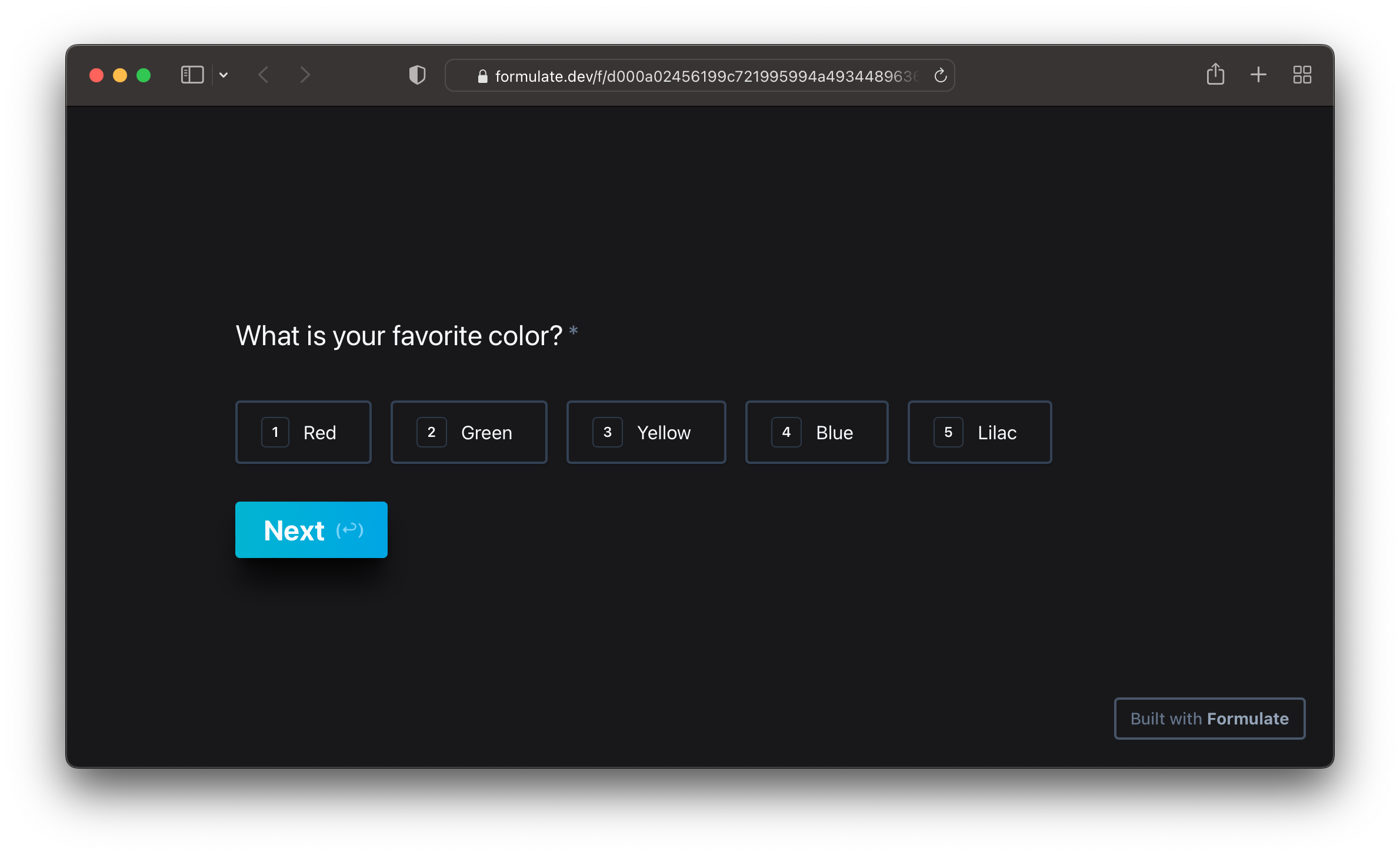
The user can then either click on options or press numbers on their keyboard to make a selection. In this case they could press 3 to select Yellow, for example.
Arguments
A multi requires a list of choices to be passed as the second argument. This can either be an array of plain strings, or an array of Choices.
A Choice is an object that contains the label and value keys. The user only sees the label, but both the label and the value of the chosen answer is saved.
For example, these are both valid calls to multi:
// Plain strings
await form.multi('What is your favorite color?', [
  'Red', 'Green',  'Yellow', 'Blue', 'Lilac',
]);

// Choices
await form.multi('What is your favorite color?', [
  {label: 'Red', value: '#FF0000'},
  {label: 'Green', value: '#00FF00'},
  {label: 'Yellow', value: '#FFFF00'},
  {label: 'Blue', value: '#0000FF'},
  {label: 'Lilac', value: '#C8A2C8'},
]);
Selecting Multiple Options
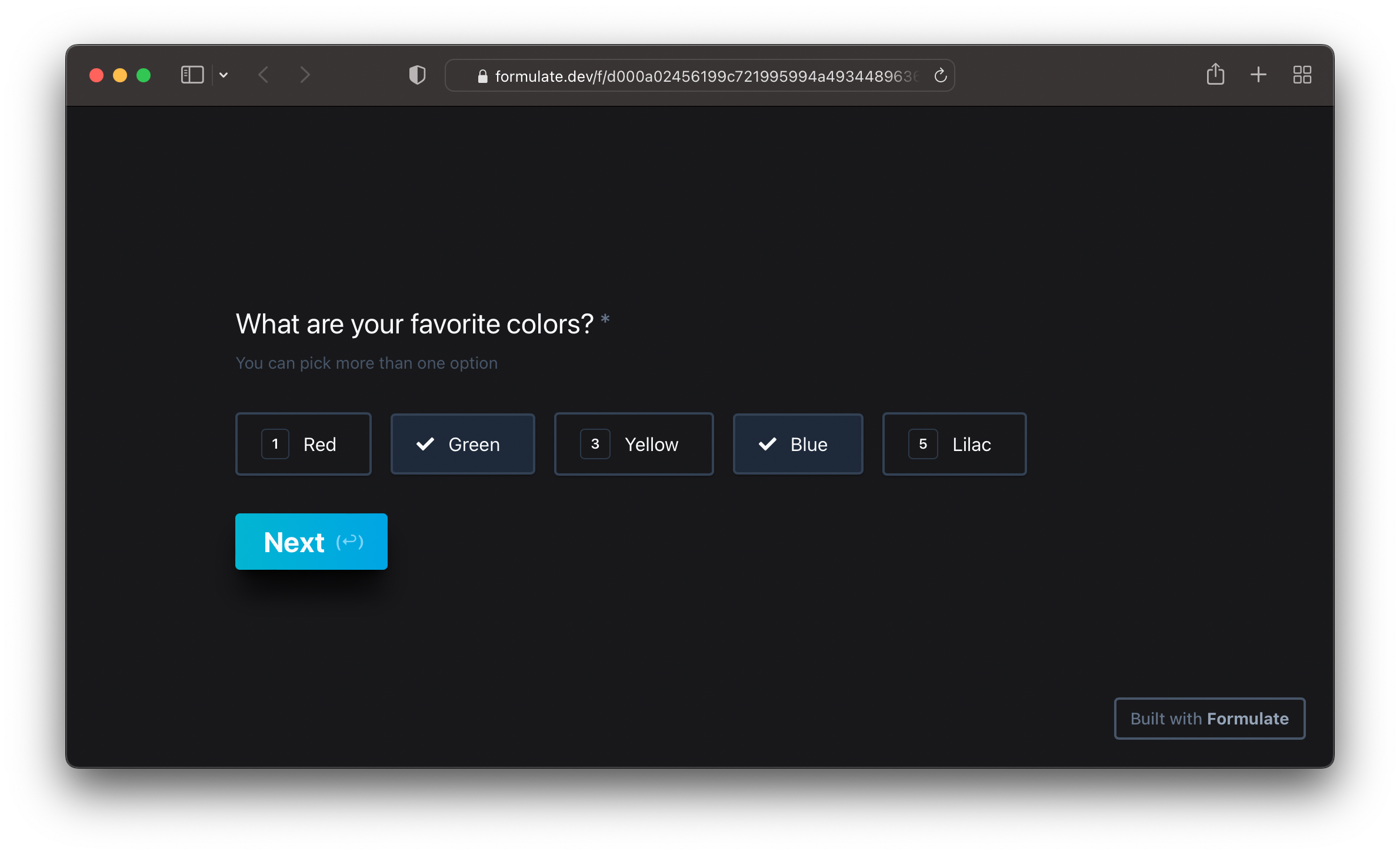
By default a multi question assumes that you only want the user to make one selection. Set the multiple field to true to allow multiple selection:
await form.multi('What are your favorite colors?', [
  'Red', 'Green',  'Yellow', 'Blue', 'Lilac',
], {
  multiple: true,
});
Picture Choices
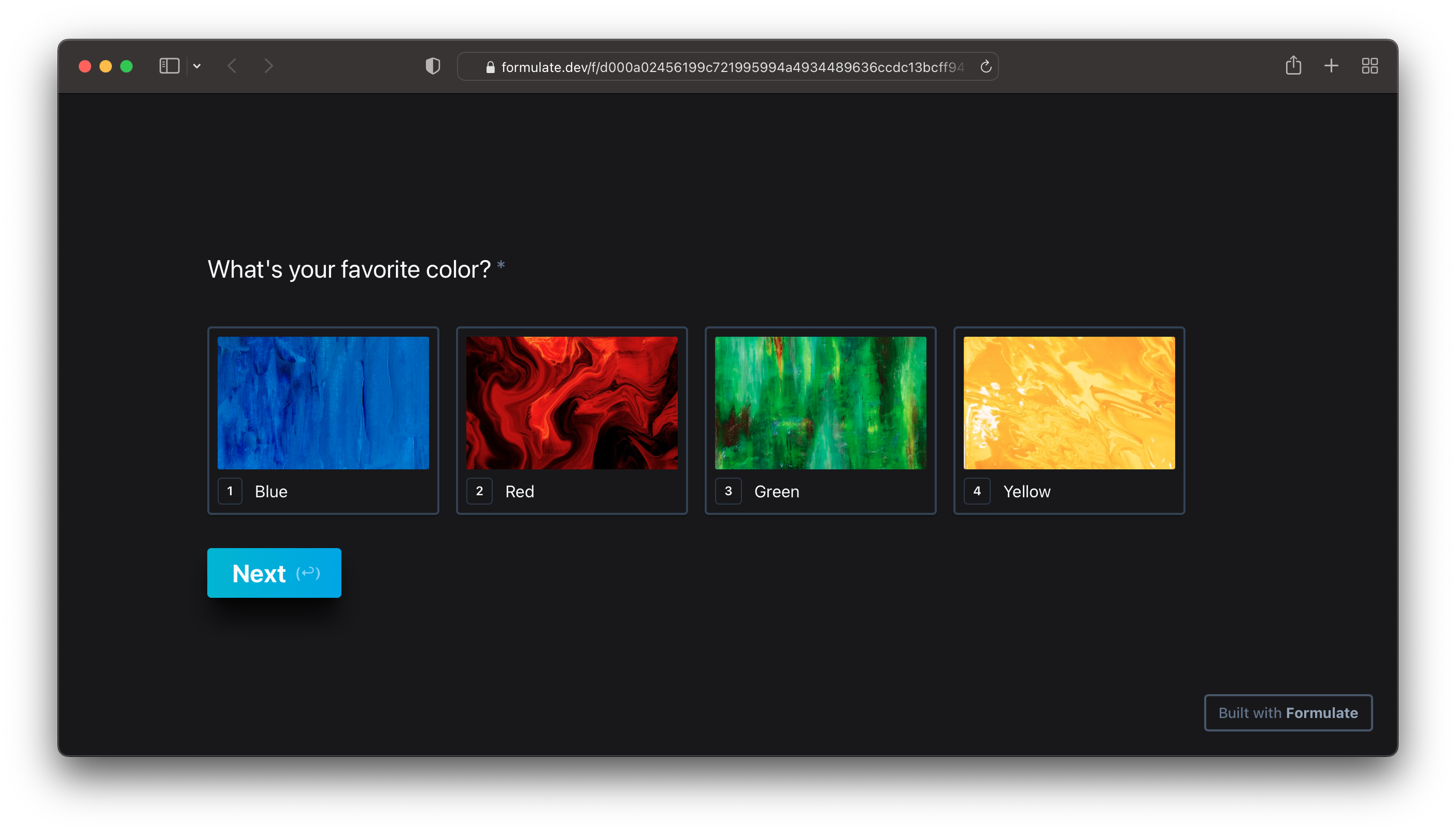
Pass an image URL via the image field to create a multiple choice question with pictures, like this:
await form.multi("What's your favorite color?", {
  {label: 'Blue', image: 'https://images.unsplash.com/photo-1578070181910-f1e514afdd08?fm=jpg&w=600'},
  {label: 'Red', image: 'https://images.unsplash.com/photo-1615012553971-f7251c225e01?fm=jpg&w=600'},
  {label: 'Green', image: 'https://images.unsplash.com/photo-1566807387450-b74aea0e727e?fm=jpg&w=600'},
  {label: 'Yellow', image: 'https://images.unsplash.com/photo-1571456653714-a8db063a3e91?fm=jpg&w=600'},
});
Return Value
multi() returns a Choice representing the user's selection. Here's an example, assuming the user picked Red:
let colors = await form.multi('What is your favorite color?', [
  'Red', 'Green',  'Yellow', 'Blue', 'Lilac',
]);

form.log(colors); // {label: 'Red', value: 'Red'}

colors = await form.multi('What is your favorite color?', [
  {label: 'Red', value: '#FF0000'},
  {label: 'Green', value: '#00FF00'},
  {label: 'Yellow', value: '#FFFF00'},
]);

form.log(colors); // {label: 'Red', value: '#FF0000'}
If the multiple option is enabled, multi returns an array of Choice objects instead.
Options
You can pass options to multi like so:
await form.multi('What are your favorite colors?', [
  'Red', 'Green',  'Yellow', 'Blue', 'Lilac',
], {
  multiple: true,
});
Here's a list of all multi-specific options:
| Option | Type | |
|---|---|---|
multiple |
boolean |
Allow more than one choice to be selected |
hideNumbers |
boolean |
Hide the numeric indexes |
You can also pass global options, which are valid for all question types.